Display Icons🔗
This page documents all icons available in the icon library.
| Icon | Description |
|---|---|
 |
Network Time Traveler Backup |
 |
Migrations |
 |
Badge |
 |
SFP Breakouts |
 |
Endpoint Bundle |
 |
NAC Port Profile, Authenticated Eth-Port |
 |
DHCP Server |
 |
Fabric Collection |
 |
Endpoint View, Image Update Sets |
 |
Showtech |
 |
Eth-Port Settings |
 |
SFTP, vNet Commander Network Configuration, Software Package, Service Report, SNMP, SYSLOG, User Account |
 |
Gateway Profile |
 |
Traffic Graph |
 |
Interface |
 |
Static Connections |
 |
RADIUS Login, Radius |
 |
Lag |
 |
User Type |
 |
MAC Filter |
 |
Subinterface |
 |
ONT, unregisteredObject |
 |
Packet Queue |
 |
PB Egress Profile |
 |
Preprovisioned Device |
 |
Preprovisioned Switch |
 |
System Resources |
 |
AS Path Access List, Community List, Extended Community List, IPv4 Filter, IPv4 List Filter, IPv6 Filter, IPv6 List Filter, IPv6 Prefix List, MAC Access List, IPv4 Prefix List, Route Map, Route Map Clause |
 |
Service |
 |
Service Port Profile |
 |
Static IP |
 |
Switch |
 |
ACS, AI-Ops |
 |
System Graph |
 |
Device Voice Settings |
 |
Voice-Port Profiles |
 |
Tenant |
 |
Vnetc |
 |
Gateway |
 |
Tenant |
 |
Eth-Port Profile |
 |
Fabric |
 |
Leaf |
 |
LAG, OLAG, Olag Channel |
 |
Service |
 |
Device AAA Profile |
 |
Device Settings |
Object Icon Buttons🔗
Object Icon buttons represent tangible objects such as switches or other devices and respond to both right and left click mouse button actions. Left-clicking these buttons causes the window view to center on the button container. Right clicking the button gives you additional options that apply to the object of that button.

Manage Rows Button🔗
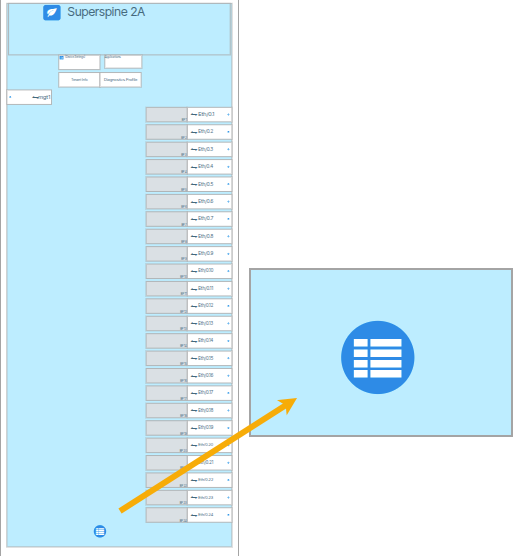
The Manage Rows button ( ) provides a convenient way to apply the same settings to multiple ports on a single switch. The settings include switch provisioning as well as the mass enabling/disabling of Edge ports.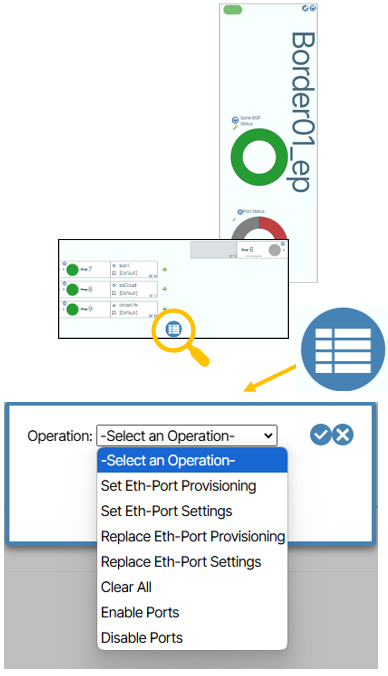
Set Eth-Port Provisioning🔗
This option lets you choose an Eth-Port Profile and apply it to a port or to a consecutive list of ports. 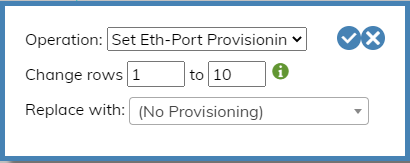
Set Eth-Port Setting🔗
This option lets you choose an Eth-Port Setting and apply it to a port or to a consecutive list of ports. 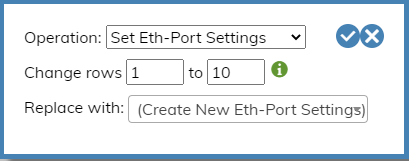
Replace Eth-Port Provisioning🔗
This option lets you choose all ports by their assigned Eth-Port Profile and replace the assignment with a different Eth-Port Profile. 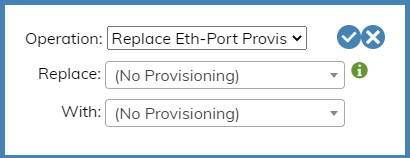
Replace Eth-Port Settings🔗
This option lets you choose all ports by their assigned Eth-Port Setting and replace the assignment with a different Eth-Port Setting. 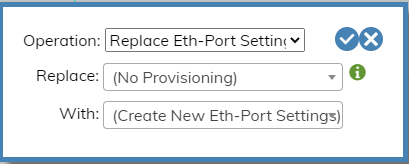
Clear All🔗
This setting clears Eth-Port Provisioning values and sets Eth-Port Profiles to default for a port or a consecutive list of ports. 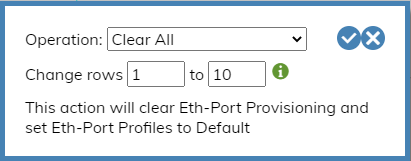
Enable Edge Ports🔗
This setting lets you enable an Edge Port or enable a consecutive list of Edge Ports. 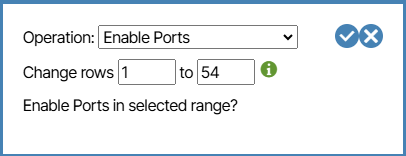
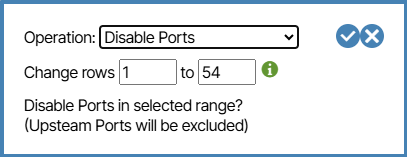
Disable Edge Ports🔗
This setting lets you disable an Edge Port or disable a consecutive list of Edge Ports.