Working with ONTs
ONT stands for Optical Network Terminal. It is a device used in fiber-to-the-home (FTTH) or fiber-to-the-premises (FTTP) broadband setups. The ONT is located on premises and serves as the endpoint device for the optical fiber connection provided by an Internet Service Provider (ISP).
How to Create Preprovisioned Switch-Assigned ONTs from Fabrics🔗
- Navigate to Fabrics and select the desired fabric.
- From the child menu, select Switches.
- Select the target switch.
- From the child menu, select ONTs.
- Click Add Preprovisioned ONT.
- Complete the form and click Create Preprovisioned ONT.
How to Create Preprovisioned Isolated ONTs from Fabrics🔗
- Navigate to Fabrics and select the desired fabric.
- Select Isolated ONTS
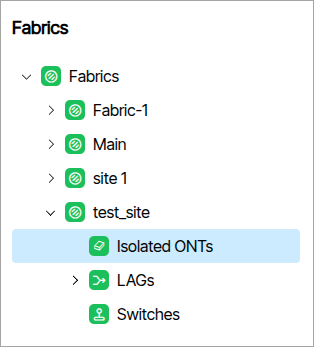 . Click the Add Preprovisioned ONT button ![].
 - Complete the form that appears.
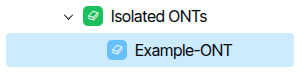
- Isolated ONTs displays the preprovisioned ONT as a child.
How to Create Preprovisioned ONTs From Views🔗
- Navigate to Operations/Views.
- Click the Add Preprovisioned ONT.
- Complete the form that appears.
- The ONT now appears in any Endpoint views that are configured to show it.
Tibits and PONs🔗
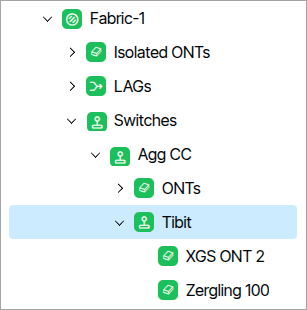
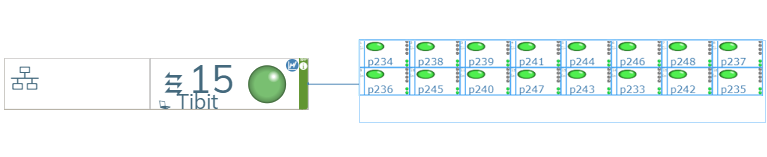
The system automatically recognizes these connections and provides Tibits and PONs nodes under their parent Switch nodes in the Fabrics tree.
How to Create a Bundle🔗
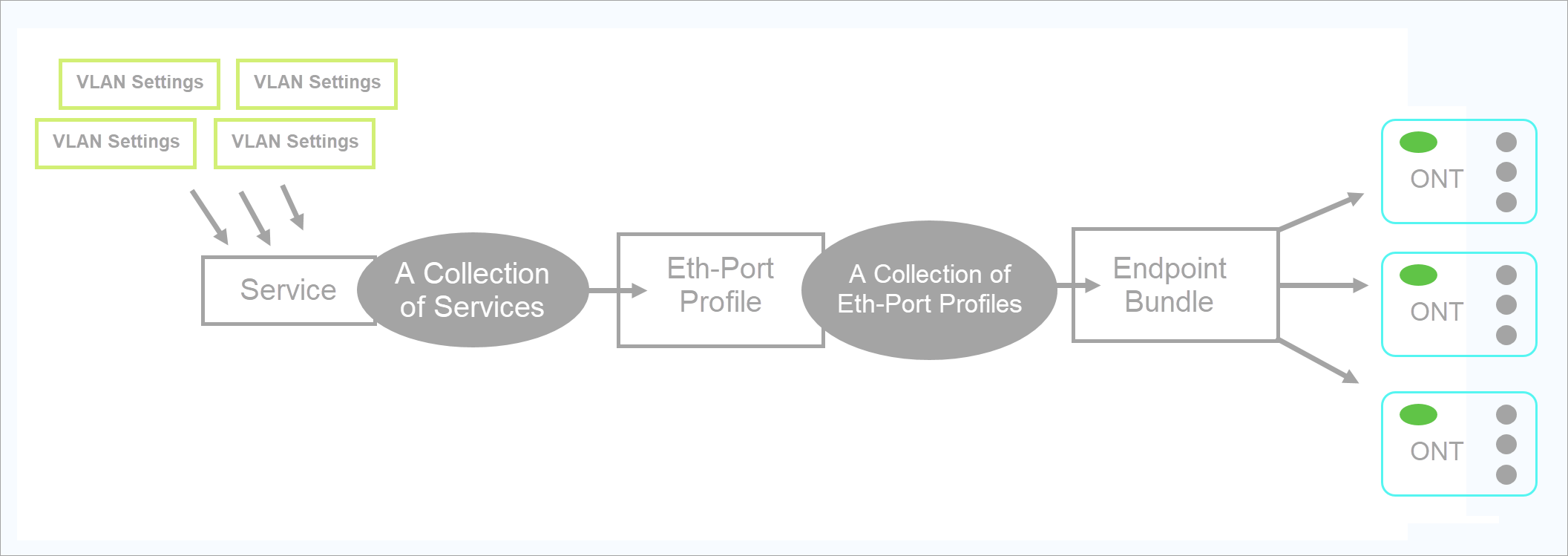
A Bundle is a group of settings used to configure, program and set the state of a switch or ONT. A GUI instance can have many bundles (hundreds) each for a different switch. Ideally, you will have one bundle for many ONT's. Bundle assignment is part of the provisioning process and all devices require an assigned Bundle. The following bullet points describes the relationship between settings and a Bundle.
- A collection of VLAN settings compose a Service.
- A collection of Services compose an Eth-Port Profile.
- A collection of Eth-Port Profiles compose a Bundle.
- A Bundle is a collection of settings transmitted to different Endpoints.
- Go to Templates/Bundles and click Add Endpoint Bundle.
- Type a name in the form field and click Add Endpoint Bundle.
- Configure the desired settings.
- Toggle the Enable switch to the "On" setting.
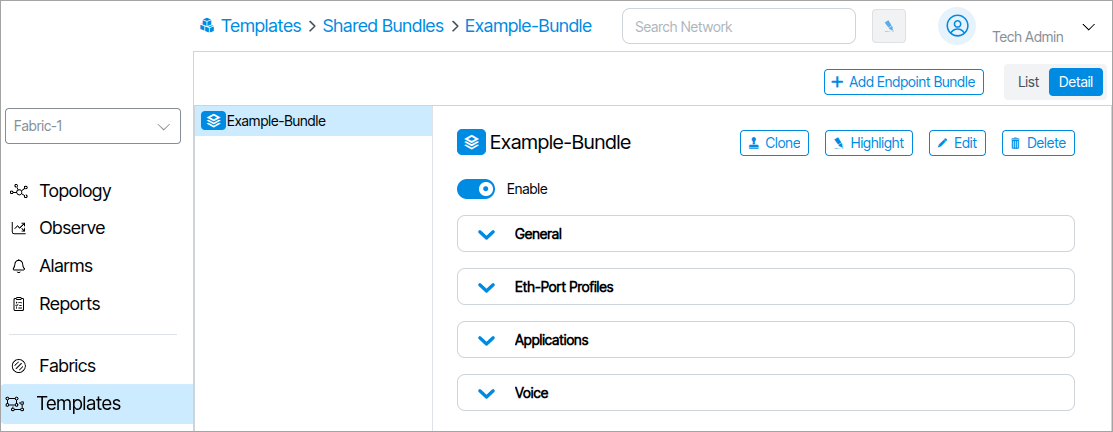
You now assign a Bundle to an ONT.
How to Assign a Bundle to an ONT🔗
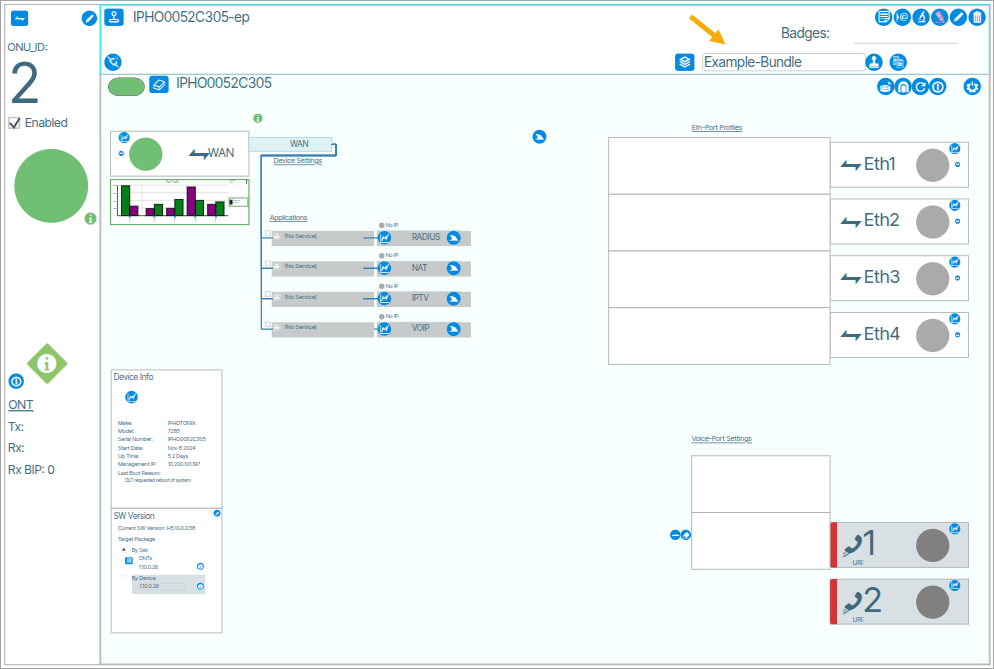
To assign a Bundle to an ONT select it from the Connected Bundle form as shown in the following image:
Drawing of Video Applications🔗
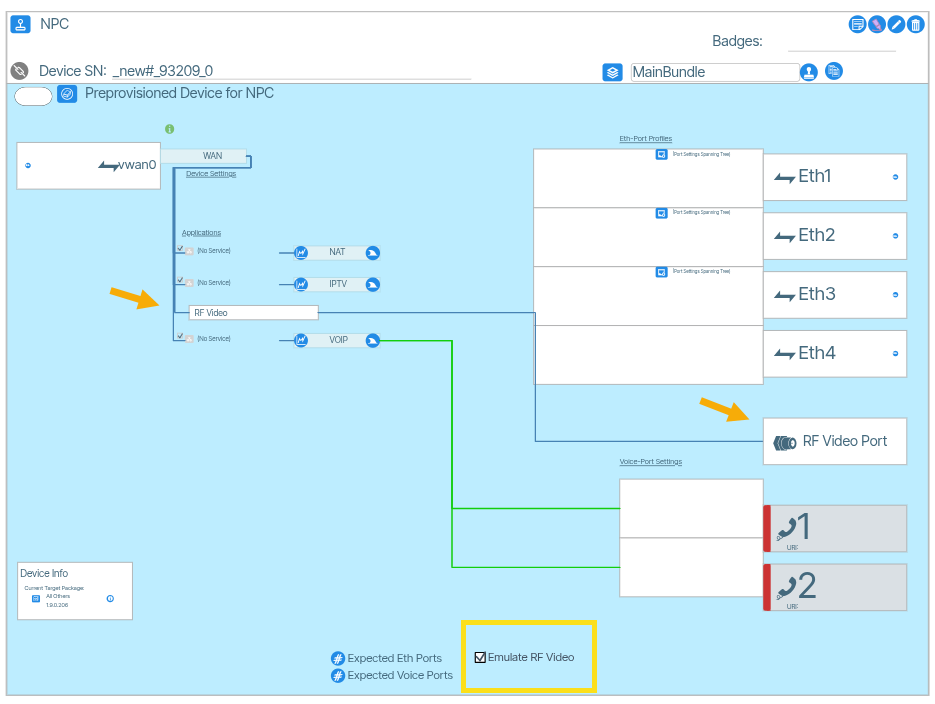
This feature displays the provisioning of the video application on a device port.
Under Applications there is an option for RF Video. A line connects that box to the RF Video Port. The RF Video field is static and cannot be edited.
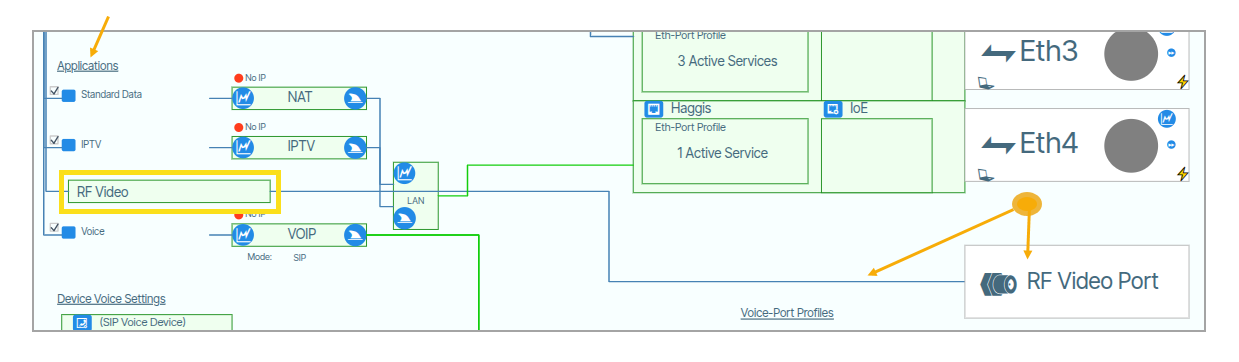
In pre-provisioned endpoints, you check the box shown below to emulate the RF Video Port .
How to Packet Capture ONT VLAN Data🔗
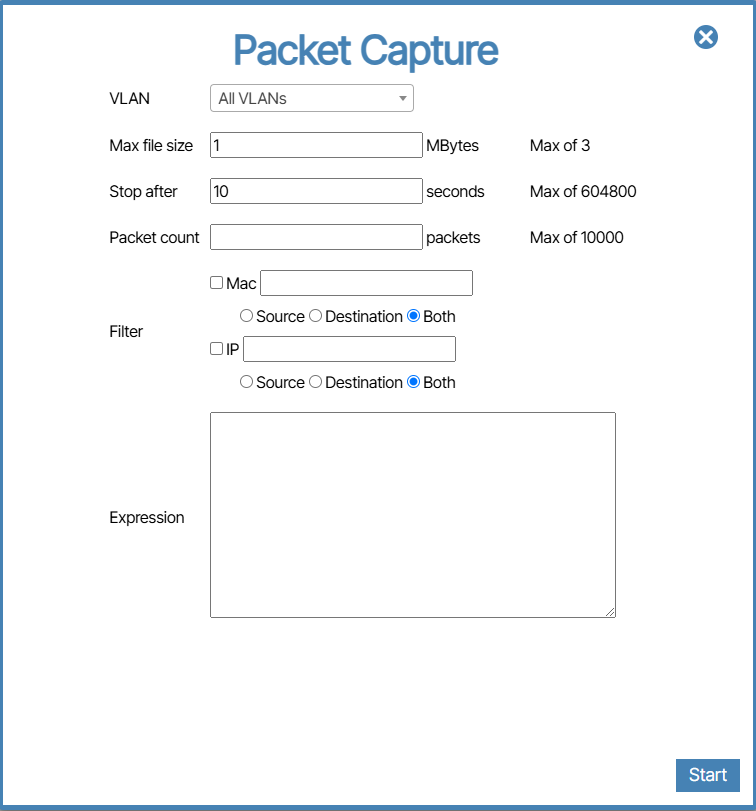
From Topology/Network View, zoom in on an ONT port and click the shark fin icon (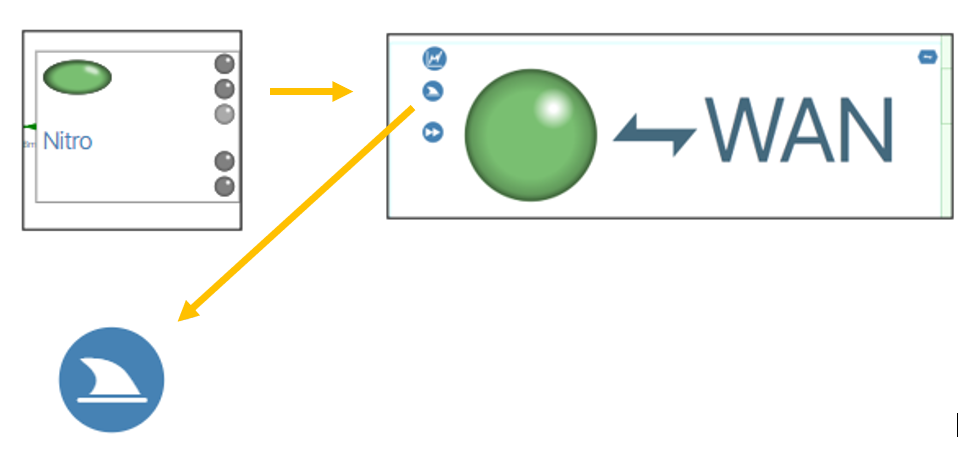 ). A form field will appear. To begin the packet capture fill out the field and press the Start button.
Form Fields🔗
VLAN🔗
Max File Size, Stop after and Packet Count🔗
When initiating a Packet Capture, the packet capture process will conclude based on the first completion among these three settings.
Max File Size🔗
If the file size exceeds this value before the Stop After time limit completes, or the Packet Count is reached then the packet capture stops.
Stop after🔗
If the Max file size is not reached and the Packet Count is not reached then the packet capture will stop after the number of seconds set in this field.
Packet count🔗
This is the number of Packets recorded. This is viewable in Wireshark. In the packet capture image below, the Packet Count is set to 10. The result is 10 packets captured.
Filter🔗
Mac🔗
This field lets you capture packets of a select device based on its Mac Address. The settings Source, Destination and Either determine the packets to capture based on incoming or outgoing packets.
IP🔗
This field lets you capture the packets of a select device based on its IP address. The settings Source, Destination and Either determine the packets to capture based on incoming or outgoing packets.
Expression🔗
Regular Expression syntax is used here to filter select data.
Voice-Port Profiles🔗
Voice-Port Profiles are port specific voice features and settings.
Device Voice Settings🔗
Device Voice Settings are the settings used for configuring the VOIP stack on the ONT.
Aggregation Switch to Endpoints🔗
Note that three stripes in an Aggregation Switch port box indicate that the port is a “point to multi-point” connection (eg. PON).

Endpoint on Aggregation Switch support point-multipoint connections🔗
Preprovisioned Endpoints🔗
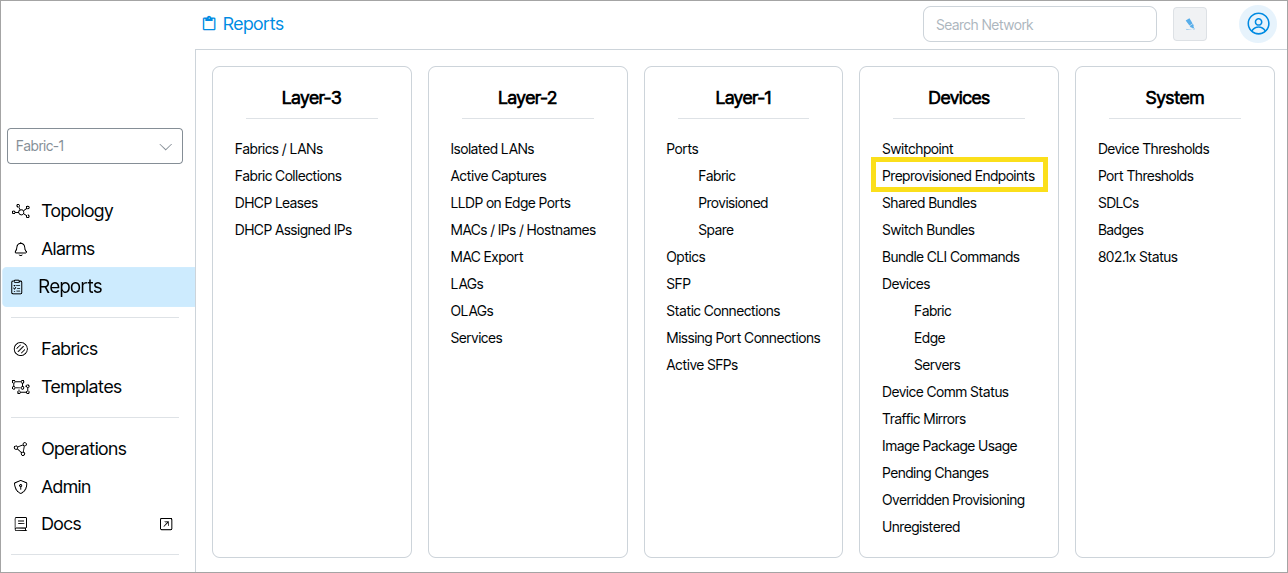
Preprovisioned Endpoints is a Report that lists endpoints whose corresponding devices have not yet been identified.
Create Redundant Path to ONTs🔗
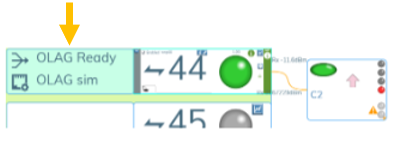
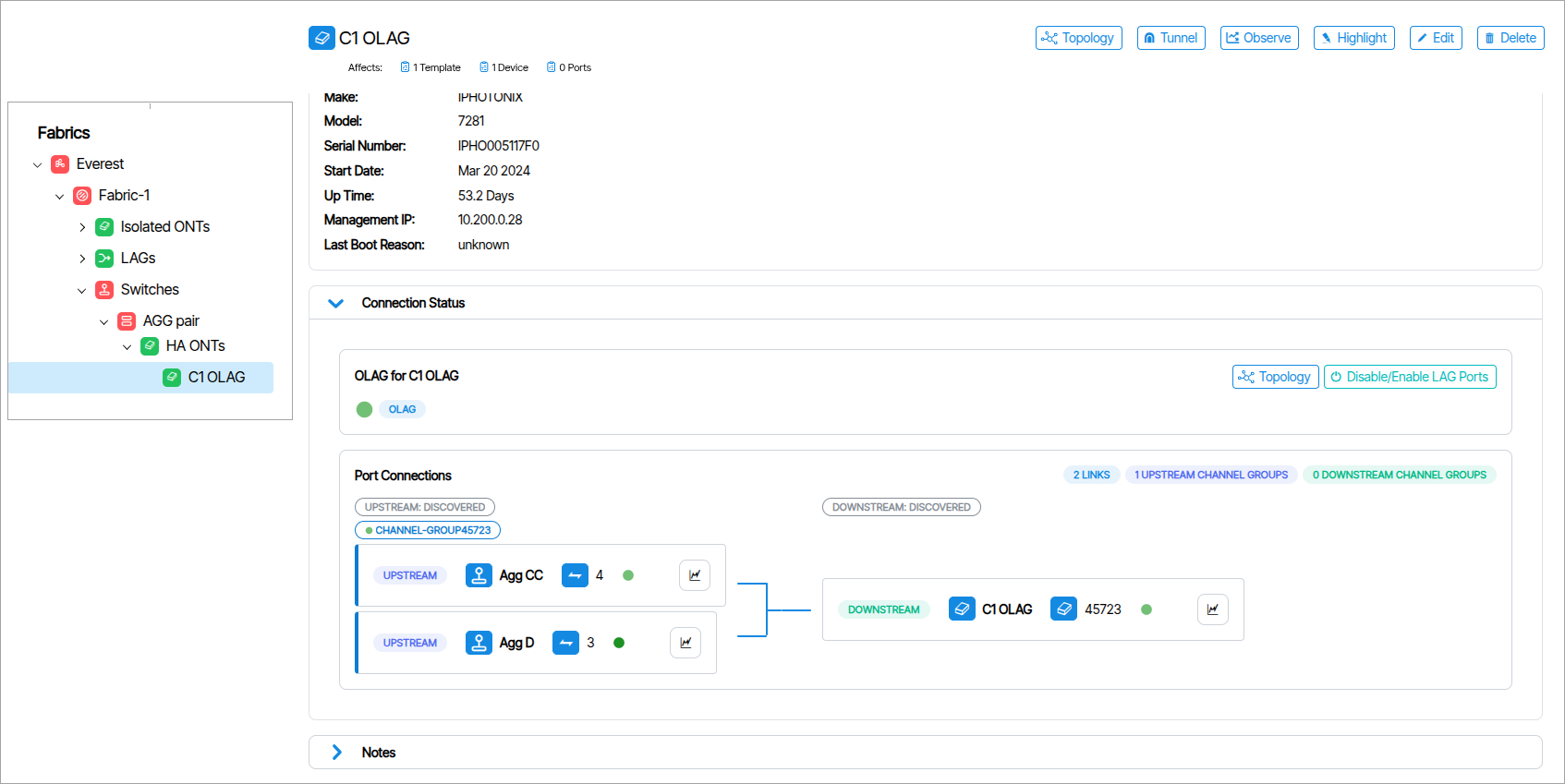
OLAG stands for ONT-LAG and is the naming convention used for this type of redundant configuration.
To reliably initiate the OLAG feature a custom ONT vendor config file is required. Please contact customer support.
Setup Physical Hardware🔗
To complete this part of the configuration you need:
- A pair of redundantly configured switches.
- ONT
- Joiner
Verify Connection🔗
In the software, make sure the linked port is marked OLAG Ready otherwise the ONT will lose communication.