Fabrics🔗
Fabrics are isolated, self-contained arrangements of network interconnections that form a topology, including the switches, links, and logical structure.
More Information: Fabrics
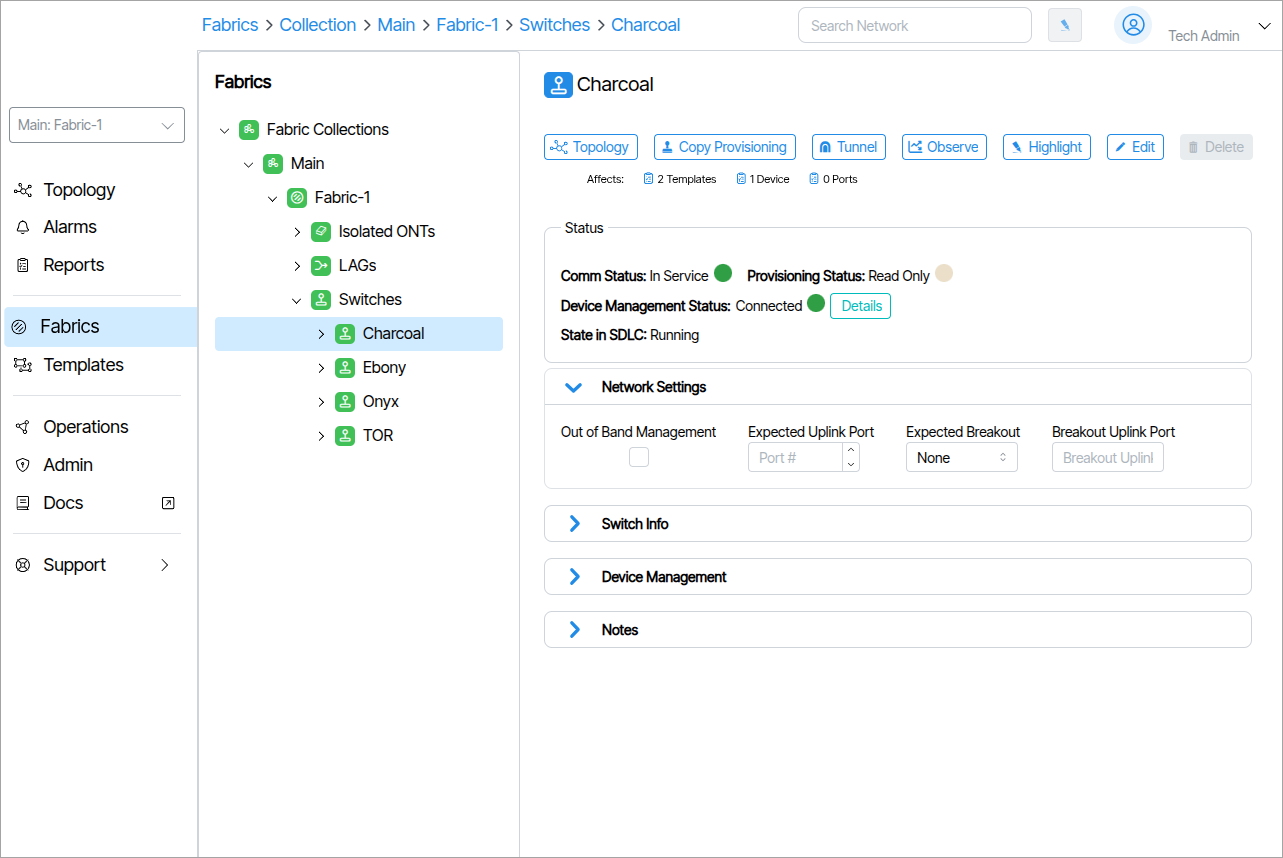
Network Settings🔗
Management Port Configuration

Problem: ZTP fails on non-copper TOR/aggregation switches because the initial configdb.json provisions management VLAN on the first 32 ports — but these switches typically use higher-speed uplink ports, often in breakout configuration.
Solution: Port configuration fields are added to the switchpoint for in-band managed switches: the expected uplink port (1–512) and its breakout mode. The selected port is assumed to be the first in its breakout group — i.e., the port with the SFP inserted.
- Out of Band Management: If enabled, denotes the switch is out of band by the management port.
- Expected Uplink Port: The physical port ZTP configures for in-band management (1–512). For SFP-based uplinks, set this to the port with the SFP inserted.
- Expected Breakout: The breakout mode for the uplink port. Consult your switch vendor documentation for supported modes.
- Breakout Uplink Port: Breakout uplink port identifier in the format of
1/#/#.
Example:
- Expected Uplink Port: 4
- Expected Breakout: 4x200G
- Breakout Uplink Port: 1/4/3