Reports🔗
The Reports section presents an organized overview of all available Reports. Reports are tabular views of provisioned objects and detected elements within the network.
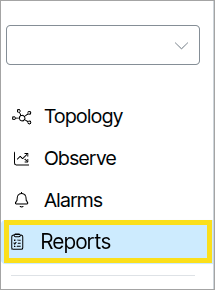
Selecting a Report opens a text-based list that can be sorted, highlighted, exported to CSV, and navigated from. In the example below, the Report titled Spine Devices is opened.
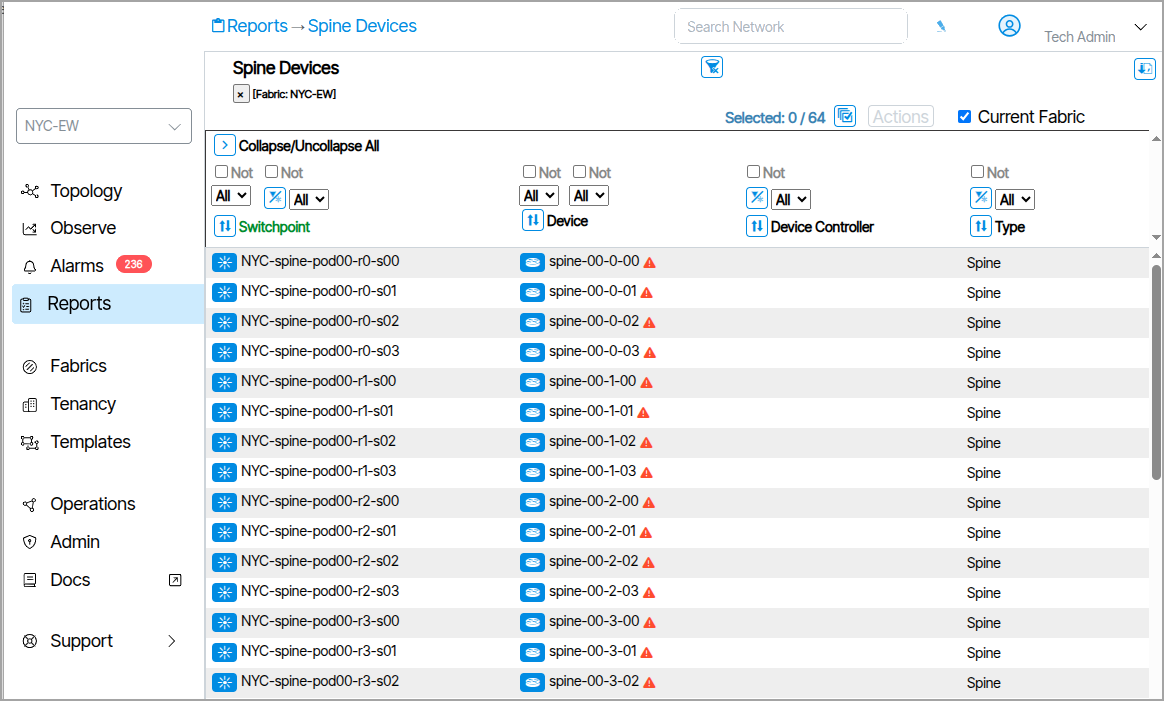
Reports can be filtered and customized to create individual operator-specific reporting on any element in Verity.
Filtering and Sorting🔗
Filter Column on Object Type🔗
Filter objects using Filter Column on Object Type at the top of each column.

Report Filtering using Regex🔗
Click the icon shown below to apply regular expressions to report filters. Type the desired Regex command in the field that appears.

Sort Columns🔗
Sort columns using the column sort tool.

Report Actions🔗
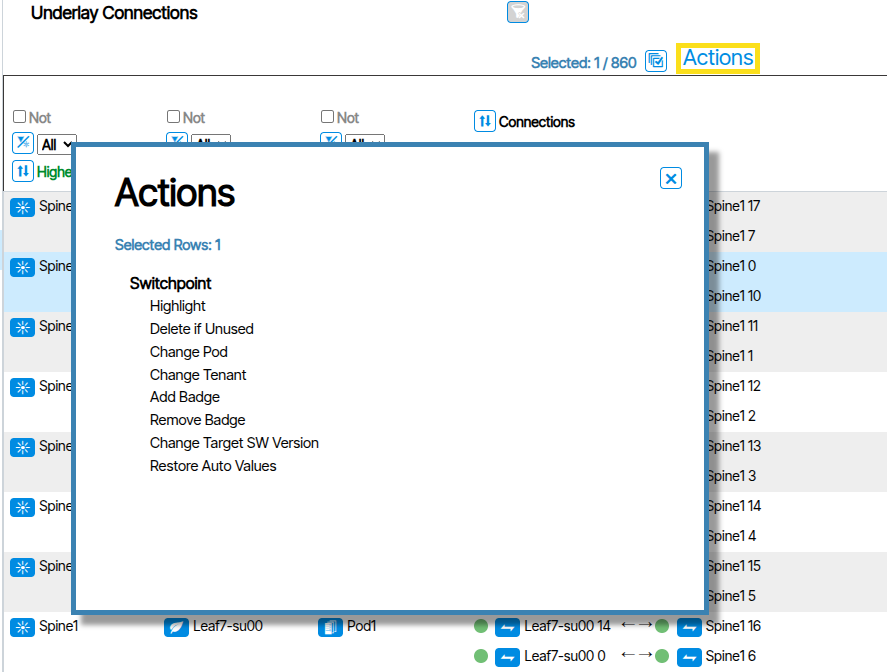
To apply actions to Report items, select the item(s) you want to affect, click the Actions button, and choose the desired action. All selected Report items are affected by the change.
Report Slice Views🔗
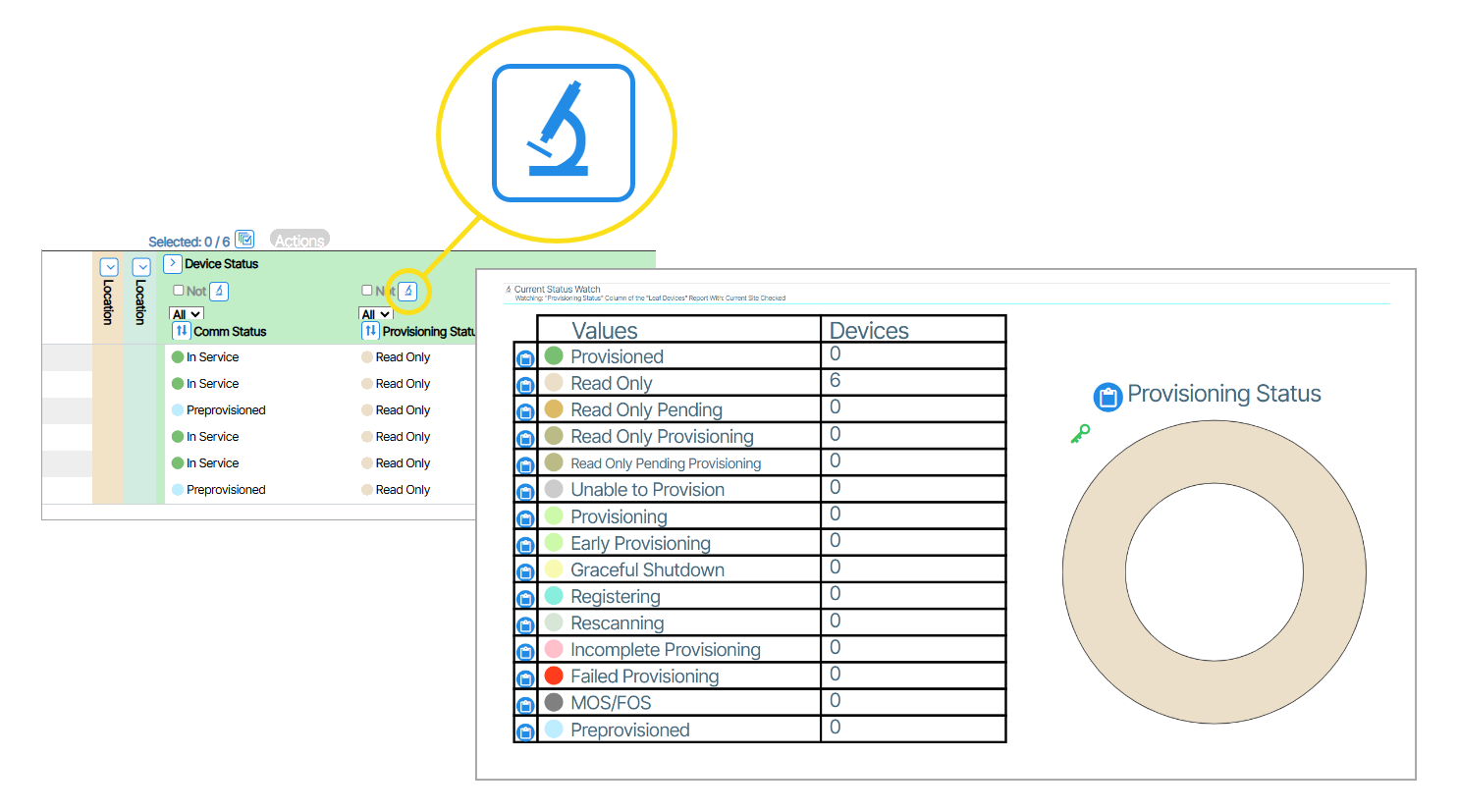
Report Slice View displays a pie graph view of the column in the report. To view the graph click the slice button 
Layer-3🔗
| Report Name | Content |
|---|---|
| Fabrics/LAN | A Fabric is an isolated, self-contained arrangement of network interconnections—switches, links, and logical structure—that forms a network topology. The Fabrics/LAN Report is a tabular view of values, settings and information for all Fabrics and LAN topologies. |
| Fabrics Collections | Fabrics are organized into tree-node containers called Fabric Collections. The Fabrics Collections Report is a tabular view of values, settings and information for all Fabric Collections. |
| Tenant Route Tables | Tenant Route Table displays the virtualized routing table (VRF) that's specific to a single tenant in a shared infrastructure. |
| Underlay Connections | An Underlay Connection is the physical network infrastructure that provides the foundation for packet transport between devices. The Underlay Connection Report provides a list of physical connections used for inter-switch Layer-2 & Layer-3 connections. |
| External BGP Connection | An external BGP (eBGP) connection is a Border Gateway Protocol link established between network routers. It allows separate organizations or network domains to exchange routing information and connect to each other while maintaining their independent routing policies and configurations. The External BGP Connection Report provides a list of the configured BGP neighbors as well as their current state. |
| DHCP Lease | A DHCP Lease is a temporary assignment of an IP address and related network configuration parameters to a device by a DHCP server. The DHCP Report is a tabular list of all DHCP leases provided by Verity on the management network. |
| DHCP Assigned IPs | DHCP Assigned IPs are IP addresses that have been dynamically allocated to devices on a network by the DHCP server. The DHCP Assigned IPs Report lists all of the IP addresses assigned by the Verity server. |
| DHCP Relays | A DHCP Relay is a service running on a network device (typically a router) that forwards DHCP requests from clients to a DHCP server located in a different network segment or subnet. The DHCP Relay Report lists all of the configured DHCP relays in the managed network. |
| Internal IPs | Internal IPs are private IP addresses assigned to devices within a local network that are not directly accessible from the public internet. |
| Gateways | A Gateway is an object that defines an external BGP or static route connection for a Tenant or the Underlay fabric. The Gateways Report is a tabular list of all configured Gateways and their current state. |
Layer-2🔗
| Report Name | Content |
|---|---|
| Isolated LANs | An isolated LAN is a local area network that is intentionally disconnected from any other network, including the internet and any other internal networks. This means that devices on the isolated LAN can only communicate with each other, and cannot communicate with devices outside of that LAN. |
| Underlay Route Tables | An underlay route table is used by physical network devices to determine the best path for forwarding traffic within the underlying physical network infrastructure. Routing protocols like OSPF, IS-IS, and BGP populate these tables to ensure all devices in the underlay can reach each other, providing essential connectivity for overlay networks. |
| Active Captures | Refers to the process of intercepting and recording network traffic as it occurs. The Active Captures Report is a tabular list of actions, values, and settings for Capture processes that are still ongoing. |
| LLDP on Edge Ports | LLDP is a protocol that allows network devices to advertise information like their identity and capabilities to neighboring devices on a local network. On edge ports, LLDP can be used to auto-configure VoIP phones, inventory devices, and troubleshoot connectivity, but it may be disabled for security reasons to prevent unauthorized disclosure of network topology. |
| MACs | The MAC Address Workbench (MACs) lets you search device by mac address. Clicking the Search button without specifying a mac address displays all devices (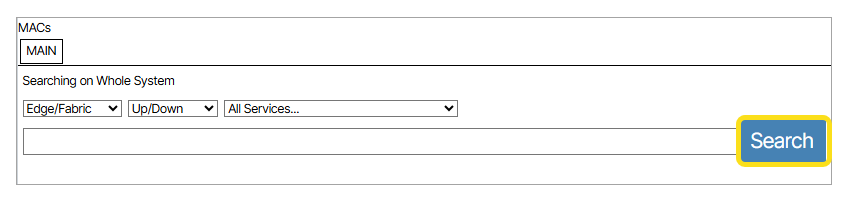 ). From within a list of devices, clicking ( ). From within a list of devices, clicking ( ) opens a new tab to search on the corresponding mac address ( ) opens a new tab to search on the corresponding mac address (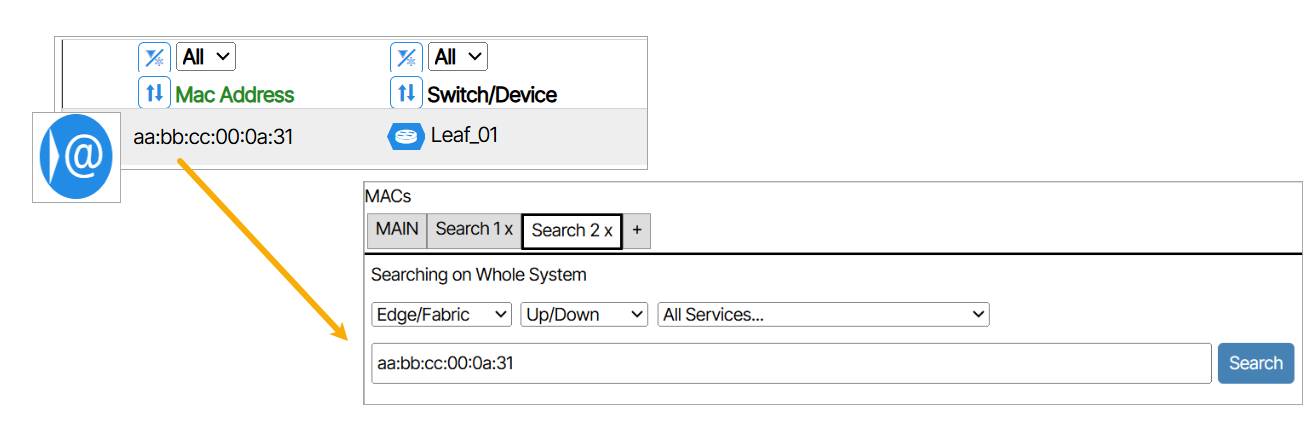 ) ) |
| MAC Export | MAC Export provides a summary MAC report for all devices connected to the network's user facing ethernet ports. Administrators can automate this tool to generate a daily report or use it on a case-by-case basis as needed. To manually run a report, enable the checkbox for all services you want to include, click Run Report Now, and wait for the Download Latest Report icon to turn blue. Once it does, click the icon to download the CSV file. |
| LAGs | A LAG (Link Aggregation Group) is a collection of Ethernet ports that are grouped together and behave as a single logical interface, providing increased bandwidth, redundancy, and resilience. The LAGs Report is a tabular list of actions, values, and settings for all LAGs. |
| Services | A Service is a Layer-2 broadcast domain (VLAN) that can optionally be routed through the Layer-3 fabric as VXLAN frames, allowing devices connected to different parts of the network to appear as if they are on the same local segment. The Services Report is a tabular list of actions, values, and settings for all Services. |
Layer-1🔗
| Report Name | Content |
|---|---|
| Ports | The Ports Report is a tabular list of actions, values, devices and settings for all Ports. |
| Fabric | The Fabric Report is a tabular list of actions, values, devices and settings for all Fabric Ports. |
| Provisioned | The Provisioned Report is a tabular list of actions, values, devices and settings for Provisioned Ports. |
| Spare | The Spare Report is a tabular list of actions, values, devices and settings for Spare Ports. |
| Optics | In networking, optics generally refers to the components and technologies that utilize light to transmit data over fiber optic cables. Instead of electrical signals used in traditional copper-based networking, optics leverages light pulses to carry information, enabling significantly higher bandwidth and longer transmission distances with less signal degradation. |
| SFP | SFP stands for Small Form-factor Pluggable, which is a type of transceiver used in networking equipment. It is a hot-swappable component that can be inserted into a switch to provide connectivity. |
| Static Connections | A Static Connection is a connection that is not dynamic. The Static Connections Report is a tabular list of actions, values, and settings for Static Connections. |
| Missing Port Connections | A Missing Port Connection is a port with a connection provisioned but no matching physical link detected from the expected downstream device. The Missing Port Connections Report is a tabular list of actions, values, devices and settings for all Missing Port Connections. |
Devices🔗
| Report Name | Content |
|---|---|
| Switchpoint | A Switchpoint represents a logical location for a device in the network and defines a connection point, such as where leaf 1 connects to spine 3, independent of the specific device installed there. The Switchpoint Report is a tabular view of values, settings and information for all Switchpoints. |
| Preprovisioned Switchpoint | A Preprovisioned Switchpoint is a Switchpoint that has been configured before a physical device has been connected to it, allowing operators to define a device's settings in advance of installation. The Preprovisioned Switchpoint Report is a tabular view of all Switchpoints that are awaiting a device assignment. |
| Switch Bundles | A Bundle is a collection of the various templates assigned to a Switchpoint. The Switch Bundles Report is a tabular view of the Bundles assigned to each switch. |
| Bundle CLI Commands | The Bundle CLI Commands Report is a tabular list of the CLI commands generated from the templates assigned to a switch's Bundle. |
| Devices | The Devices Report is a tabular view of values, settings and information for the following devices: - Management Devices - Superspine Devices - Spine Devices - Leaf Devices - Packet Broker Devices |
| Management | Management Devices are switches that provide connectivity to the out-of-band management ports of switches across other fabrics. The Management Report is a tabular view of values, settings and information for all Management Devices. |
| SuperSpine Groups | SuperSpine Groups are collections of Superspine devices grouped together within a fabric. The SuperSpine Groups Report is a tabular view of values, settings and information for all SuperSpine Groups. |
| Superspine | A Superspine is a third switch layer used to connect Pods to each other. The Superspine Report is a tabular view of values, settings and information for all Superspine Devices. |
| Spine | Spine devices interconnect all Leaf switches in a full-mesh topology, forming the core of a spine-leaf network. The Spine Report is a tabular view of values, settings and information for all Spine Devices. |
| Planes | A Spine Plane is a collection of Superspine devices that connects to a Spine within one or more PODs, forming a dedicated inter-layer fabric in multiplane architectures. The Planes Report is a tabular view of values, settings and information for all Spine Planes. |
| Pods | A POD is a grouping of connected Spine and Leaf switches, allowing for added network capacity to be deployed without redesigning the entire network. The Pods Report is a tabular view of values, settings and information for all PODs. |
| Leaf | Leaf devices are access switches that aggregate traffic from servers and connect directly into the Spine or network core. The Leaf Report is a tabular view of values, settings and information for all Leaf Devices. |
| Racks | A Rack represents the physical location of a device within a data center. The Racks Report is a tabular view of values, settings and information for all Racks. |
| Packet Broker | A Packet Broker is a network device placed between network traffic sources and monitoring tools or other destinations. The Packet Broker Report is a tabular view of values, settings and information for all Packet Broker Devices. |
| Servers | The Servers Report is a tabular view of values, settings and information for all Servers connected to the network. |
| Device Comm Status | Device Comm Status is the state a device is in and is expressed by different colors that represent different states. The Device Comm Status Report is a tabular view of each device and their current state. |
| Traffic Mirrors | A Traffic Mirror is a network monitoring tool that copies traffic from a source port to a destination port so it can be analyzed. The Traffic Mirrors Report is a tabular view of values, settings and information for all configured Traffic Mirrors. |
| Image Package Usage | Image Package Usage Report lists the currently used SDLC image by name and version number. |
| Pending Changes | Pending Changes includes all switches that have .system.configuration.target-pending set to true (and are not read-only). |
System🔗
| Report Name | Content |
|---|---|
| Device Thresholds | Thresholds allow administrators to create rules that monitor a specific metric with configurable conditions (greater than, less than, equals, etc.) and severity levels, generating an alert when a device's metric meets those conditions. The Device Thresholds Report is a tabular view of values, settings and information for all Device Thresholds. |
| Port Thresholds | Thresholds allow administrators to create rules that monitor a specific metric with configurable conditions (greater than, less than, equals, etc.) and severity levels, generating an alert when a port's metric meets those conditions. The Port Thresholds Report is a tabular view of values, settings and information for all Port Thresholds. |
| SDLCs | The SDLCs Report is a tabular view of each SDLC and their current state. |
| Badges | Badges serve as a grouping mechanism for endpoints within the system. They allow you to categorize endpoints based on specific criteria—such as their function, vendor (e.g., Dell), or any other organizational preference. By assigning the same badge color and number to related endpoints, you can easily group and identify them according to these classifications. |
| Tier Licensing Utilization | The Tier Licensing Utilization Report is a tabular list of each device's licensing status. |