Ping and Trace Route🔗
This feature is only applicable to systems using GNMI ( gRPC Network Management Interface ).
The Ping and Trace Route feature is a diagnostic tool that sends a ‘ping’ to and from a specified address and details the message path.
Precondition
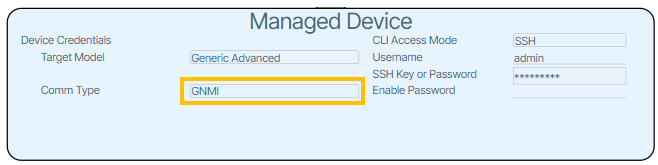
Before you use this feature, ensure the chosen device has its Device Controller/Managed Device Comm Type set to GNMI.
Controls🔗
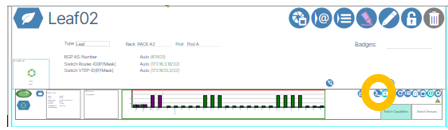
The Ping and Trace Route dialog box is opened by clicking Open Ping/Traceroute Dialog button  .
.
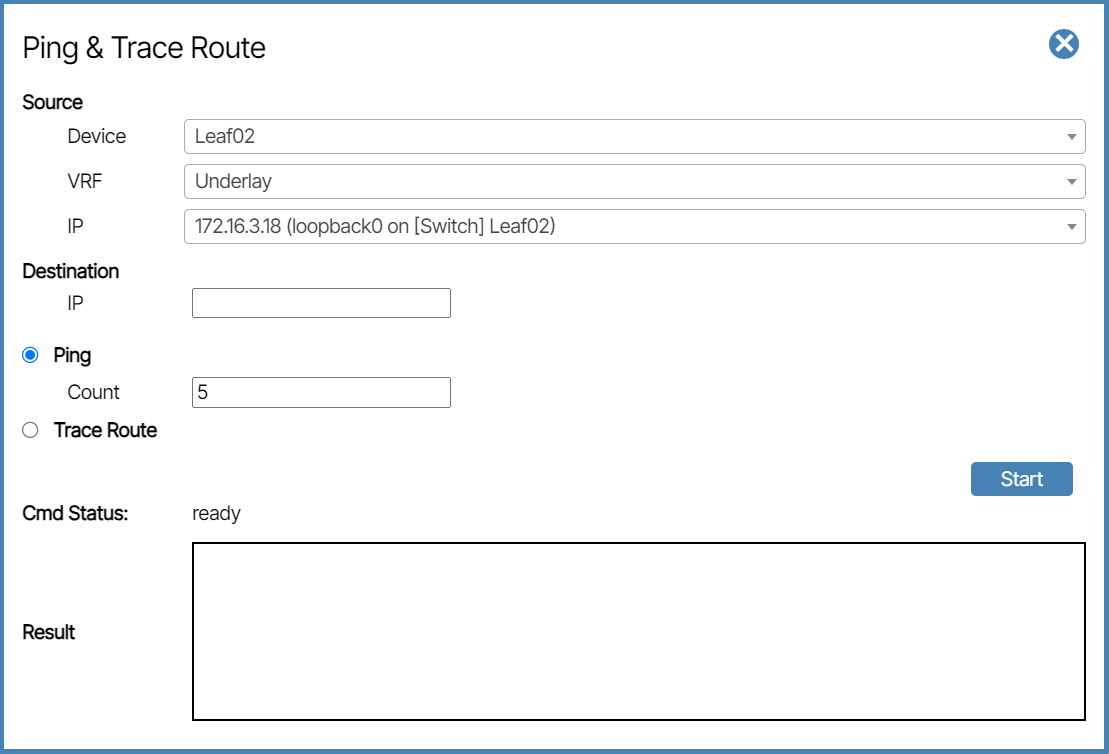
To use this feature you configure the following parameters and click the Start button.
Source🔗
- Device: This is the source device of the ping.
- VRF: This is where you select the VRF. The VRFs of Tenants, the Underlay (selected device), and Management (Device Controller) are all options.
- IP: The targeted IP address to send the ping command from. The IP address changes depending on the VRF setting.
Destination🔗
- IP: The targeted IP address to receive the ping command.
Ping🔗
- Count: The number of ping events sent before the process is complete.
Trace Route🔗
When this option is selected, the trace route is included in the Result field.
CMD Status🔗
This is a progress indicator. When the feature is ready, CMD Status says Ready; when active, CMD Status says In Progress; and when the process is complete, it says Done.